
- Version
- Download 1199
- File Size 345.48 KB
- File Count 3
- Create Date January 18, 2023
- Last Updated September 2, 2026
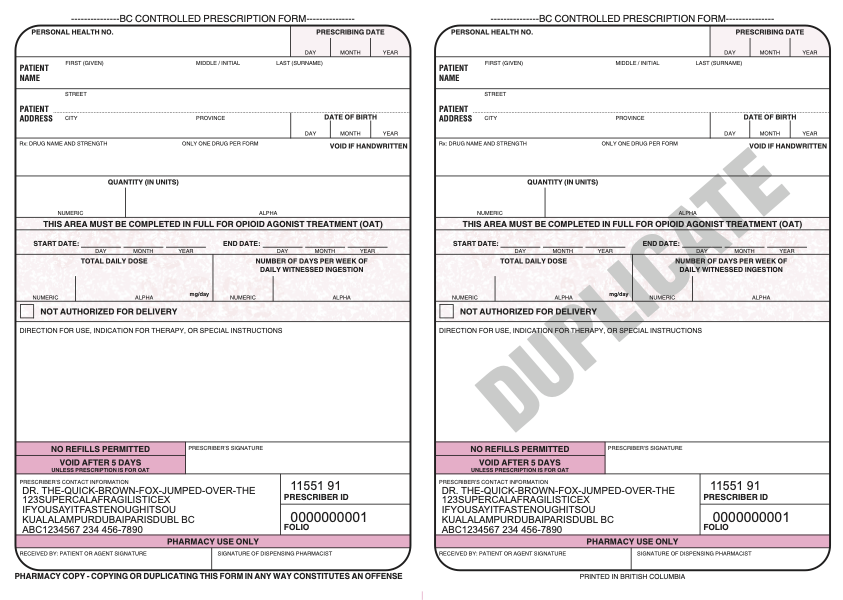
Duplicate Prescription (DuplicateRx) eFORM
How to Import an e-Form
Use download button below, then import eform into your EMR by following these instructions
Use of this eFORM required the availability of EMR printer-friendly sheets available through the College of Physicians and Surgeons of BC.
Updated - V5.
More information here: https://www.cpsbc.ca/registrants/programs/drug-programs/cpp/rx-pad/emr-faq
The workflow is awkward at best. But the legibility cannot be beat, and you still need to sign in INK. You are encouraged to make a parallel prescription in the Oscar Rx Module. Hint: create Rx in Module, and copy and paste details into eFORM.
It works best with two additional GreaseMonkey scripts. As such, the eFORM works best in a FireFox environment. AND - to correctly interact with with this eFORM, you'll need to add the correct FID (line 29) so the GM scripts can find the eFORM in your system.